How to Check If Google Has Indexed My Site (4 Methods That Actually Work)

If your pages are not indexed by Google, they cannot appear in Google search results for any relevant search queries. No amount of content work, link building or clever title tags will change that. So before you spend money on search engine optimization, it is worth confirming something basic: has Google actually indexed your site?
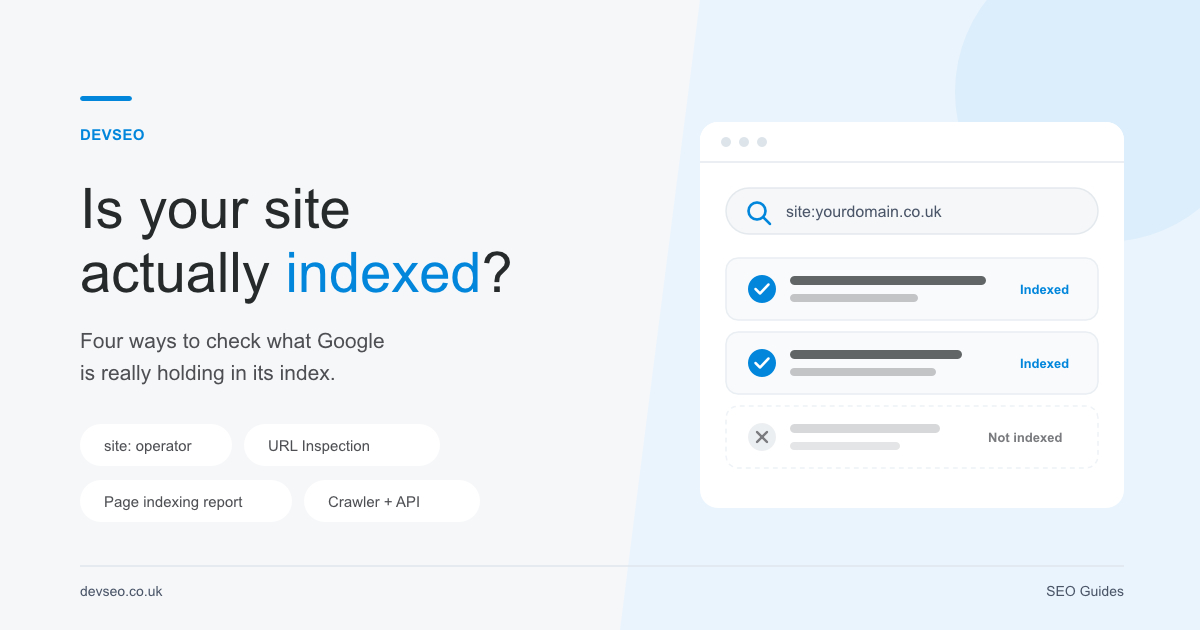
Here are four ways to check the index status of your pages, from a ten second sanity check to a proper audit across thousands of URLs. We will also cover why pages might not be indexed, and how to tell Google to crawl and index new content.
What “indexed by Google” actually means
Google Search works in three stages, and it helps to keep them separate in your head.
- Crawling. Googlebot requests your URL and downloads the page. Search engine crawlers discover pages through links, sitemaps and previously known URLs.
- Indexing. Google processes what it found, works out what the page is about, picks a canonical version, and stores it in the Google index.
- Serving. Google decides whether the page deserves to appear in search results for a given query.
The gap between Google crawling a page and Google indexing it is where most problems live. A page can be crawled and still never indexed. Google is explicit that indexing is not guaranteed, even for pages it can access perfectly well. Thin content, near duplicates and pages with no internal links pointing at them are the usual casualties, and Google may simply choose not to index them.
Understanding the difference between crawling and indexing matters when you read the Search Console reports below, because they tell you which stage failed.
Method 1: The site: search operator (10 seconds, no login)
The fastest way to check if your website is indexed. Go to Google Search and type:
site:yourdomain.co.uk
If results appear, Google has indexed at least part of your site. If you get nothing at all, that is a red flag worth investigating immediately. This also works on sites you do not own, so it is the only way to check a competitor’s Google indexing status.
You can narrow it to a single URL to see whether one specific page is indexed:
site:yourdomain.co.uk/services/technical-seo/
Or check whether a whole section of website pages are indexed:
site:yourdomain.co.uk/blog/
The honest caveat. The count of indexed pages that Google shows is an estimate, and a rough one. Google staff have said repeatedly that it is not a debugging tool and the numbers move around. Use it as a yes or no signal, never as a metric you report to a client. If site: returns nothing for a URL, that is meaningful. If it returns “about 412 results”, that number is not evidence of anything.
Also worth knowing: the old cache: operator no longer works. Google retired it in 2024, so any guide still telling you to check Google’s cached copy is out of date.
Method 2: The URL Inspection tool in Google Search Console
This is the authoritative answer for a single URL. Google Search Console’s URL Inspection tool reads directly from the Google index rather than guessing, so it tells you whether that URL is indexed right now.
- Open Google Search Console and select your website property.
- Paste the full URL into the search bar at the top.
- Wait a few seconds for the result.
You will get one of two verdicts. URL is on Google means the page is indexed and eligible to appear in Google search results. URL is not on Google means it is not, and Search Console will tell you why underneath.
Expand the coverage details and check three things in particular:
- Discovery. Which sitemap or referring page led Google here.
- Crawl. When Googlebot last fetched it, and whether the crawl was allowed.
- Indexing allowed? If this says no, you have a noindex tag or a header blocking it.
Also check the Google selected canonical. If it differs from your declared canonical, Google has decided another URL is the better version, and your page will not be indexed separately. This catches a huge number of “why is my page not indexed” cases on ecommerce and multi location sites.
The same screen is where you ask Google to recrawl a page after you have fixed something. New to Search Console? You will need to verify ownership of the domain first, usually with a DNS record or a file upload. It is free, and no serious index checking is possible without it.
Method 3: The Page indexing report in Search Console
URL Inspection handles one URL at a time. Use the Page indexing report to review the indexing of the whole site, and spend most of your audit time here.
Find it under Indexing, then Pages. You get two totals: indexed pages, and pages that are not indexed. Below that, Google lists the reason for every non indexed URL. The ones you will see most often:
- Crawled, currently not indexed. Google looked and decided not to bother. Usually a quality or duplication signal.
- Discovered, currently not indexed. Google knows the URL exists but has not crawled it yet. Often a crawl budget or internal linking problem.
- Duplicate without user selected canonical. You did not declare a canonical, so Google picked one for you.
- Excluded by noindex tag. Something is telling Google not to index the page. Sometimes deliberate, sometimes a staging setting that survived launch.
- Blocked by robots.txt. Google cannot crawl it at all. Our robots.txt quick check tool will spot the common offenders in seconds.
- Page with redirect and Alternate page with proper canonical. Both are usually fine and expected.
The question to ask is not “why are so many of my pages not indexed”. It is “are the not indexed URLs excluded for good reasons”. A site with 400 indexed pages and 900 excluded tag archives, paginated URLs and filtered parameters is healthy. A site with 12 indexed pages and 300 sitting in “crawled, currently not indexed” is not.
Most website owners never open this report, which is why indexing problems sit unnoticed for months. Check it monthly and confirm your money pages are properly indexed.
Method 4: Crawlers and third party index checker tools
For anything above a few hundred URLs, checking manually stops being realistic. Two practical options:
Screaming Frog plus the Search Console API. Crawl the site, connect your account under API Access, and Screaming Frog will pull the index status for every URL it finds. You can then filter for pages that are in your sitemap but missing from the index, which is exactly the list you want.
A Google index checker tool. Plenty of free options exist and they are fine for a quick look at a handful of URLs. Most work by scraping site: queries, which means they inherit all the reliability problems of Method 1. Treat a checker tool as indicative, not definitive.
Ahrefs and Semrush both report a count of indexed pages too, but they work from their own crawl data rather than Google’s, so expect the numbers to disagree with Search Console. When they conflict, Search Console wins.
Which method should you use?
| Situation | Best method |
|---|---|
| Quick sanity check on a new site | site: operator |
| One page you just published | URL Inspection tool |
| Full site audit | Page indexing report |
| Several hundred or thousand URLs | Screaming Frog plus Search Console API |
| A competitor site, no Search Console access | site: operator or a checker tool |
Why your pages might not be indexed
Once you know which URLs are missing, the reason is usually one of these:
- A noindex meta tag or X-Robots-Tag header left on after a rebuild.
- Robots.txt blocking a directory, which stops Google from crawling before indexing is even considered.
- A canonical tag pointing somewhere else, deliberately or by plugin default.
- Thin or duplicated content, where Google can index the page but chooses not to.
- Content that only exists once JavaScript has run. Google does render JavaScript, but rendering sits in a queue and can be delayed, so anything important belongs in the initial HTML. We made the same argument from the user side in how many people are missing out on JavaScript.
- Orphan pages with no internal links, so Google has no reason to prioritise them.
- The page is genuinely new. Give it time before you panic.
- Server errors or slow responses during crawling.
Fix the cause rather than repeatedly requesting indexing. Asking Google to recrawl a page that is blocked by robots.txt achieves nothing.
How to tell Google to index your site
There is no button that forces indexing, and you cannot order Google to crawl on demand. You can make it far more likely and far faster. Four things that actually help pages get indexed:
- Submit an XML sitemap. In Search Console, go to Sitemaps and submit your sitemap URL. This is how Google discovers pages at scale.
- Use Request Indexing. Inspect the URL, then click Request Indexing. There is a daily quota, so save it for genuinely important pages rather than firing it at everything.
- Add internal links. A page linked from your navigation or a strong existing article gets crawled far sooner than one sitting alone. Internal linking is the single most underrated indexing fix.
- Improve the page. If Google crawled it and passed, more content, better structure and a clearer purpose will do more than resubmitting.
One myth to kill: the Google Indexing API is not a general purpose shortcut. Google restricts it to job posting and livestream structured data. IndexNow is a Bing and Yandex protocol, not a Google one.
How often does Google index my site?
There is no fixed schedule. The Google search engine recrawls popular, frequently updated pages daily or even hourly, and quiet pages every few weeks or months. New sites with few links can wait weeks for full coverage.
As a rough guide: a new page on an established site is often indexed within a few days. A page on a brand new domain can take two to four weeks. If nothing is indexed after a month, something is wrong rather than slow.
How to stop Google indexing pages you do not want in search
Sometimes the goal is the opposite. To prevent indexing, add a noindex meta tag to the page head:
<meta name="robots" content="noindex">
Do not use robots.txt for this. Blocking a URL in robots.txt stops Google from crawling it, which means Google never sees the noindex tag, and the URL can still appear in search results as a bare link. Allow the crawl, serve the noindex. Use robots.txt for crawl control, not index control.
Frequently asked questions
How do I find the index state of a specific URL?
Paste it into the URL Inspection tool in Google Search Console. That is the only method that reads Google’s actual indexing information for your property.
Can I force Google to index my pages faster?
No. Request Indexing pushes a URL into the crawl queue sooner, but the decision to index the page is still Google’s.
Is it a problem if a page is not indexed?
Not always. Thank you pages, filtered listings, tag archives and login pages have no business in search results. Only worry about the pages on your site that you actually want to rank.
Can Google index PDF files?
Yes. PDFs are crawled and indexed like HTML pages, though an HTML equivalent will almost always perform better.
Does mobile first indexing change any of this?
Google now crawls and indexes using the mobile version of your pages. If content is hidden or missing on mobile, treat it as missing entirely. It is one more reason we have been banging on about responsive design since long before it was a ranking factor.
The URL Inspection tool says the page is fine, but the Page indexing report shows an error. Why?
URL Inspection is live, the report is not. Search Console reports can lag by several days, so a recent fix will not show up straight away.
What to do next
Run the site: check now, then open the Page indexing report and read the reasons behind the not indexed number. Nine times out of ten the fix is a stray noindex, a bad canonical, or a page nothing links to.
Once indexing is clean, the next question is what that traffic is actually worth, which is where marketing metrics that matter picks up.
Knowing your site is indexed is crucial before you invest in anything else, because rankings, traffic and conversions all sit downstream of it. If you would rather have someone else work through it, DEVSEO offers a free mini audit. Send your URL and one goal, and you will get a short, practical list of priorities back. You can also try the free tools, including the robots.txt checker and internal link counter, both built for exactly this kind of indexing work.